

Blast AI: Your Photo Becomes a Video Invitation
Blast AI turns one photo into an 8-second video invitation with its own music and RSVP. It is free to make and $9.99 to send, once, to as many guests as you want.
Holiday Promotion · 50% off until Dec 31
Blast AI · Premium
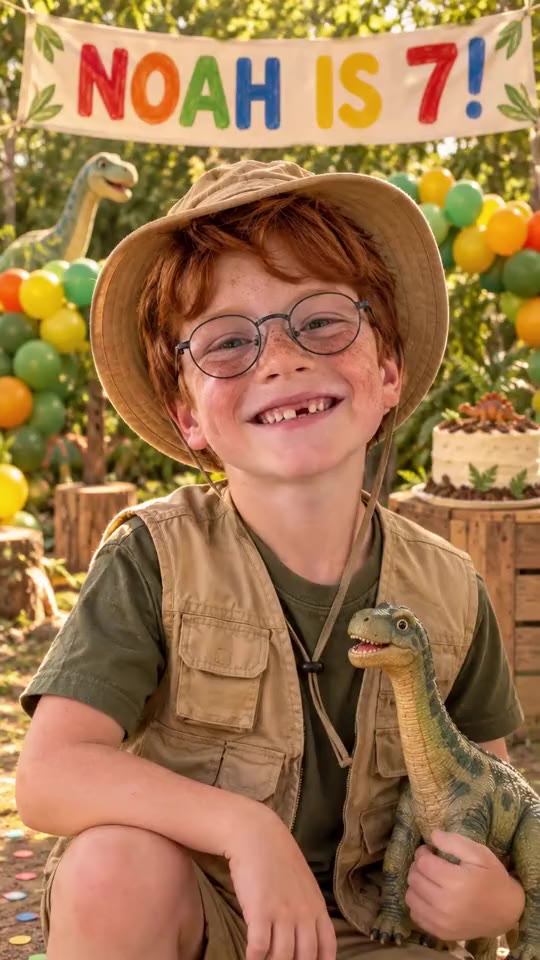
Same smile. Whole new party.
Free to make. Regular price $19.99 now $9.99 to send, to as many guests as you want.
The example is AI-generated, not a real host.
Blast AI is Blast's premium option. Everything else on Blast stays free: the animated designs and invitations made from your own video.
Updated November 2026
How Blast AI works
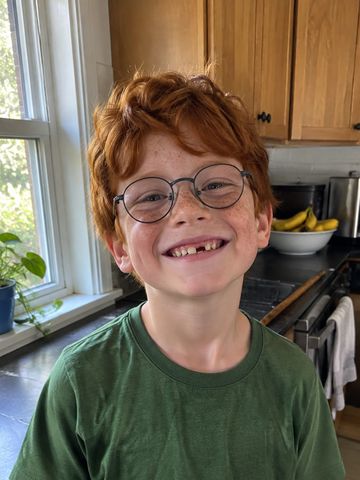
- Open the Blast AI step and choose one clear photo, facing the camera. It can show one person, a couple, up to four people, or your dog or cat. You confirm that the photo is of you, your child, your family or your pet, and that everyone in it is happy for you to use it.
- Answer a few taps: what you are celebrating, who it is for, the name and the age, and a theme from the list for that party.
- Pick the line for the sign in the picture, such as "NOAH IS 7!", or write your own.
- Blast AI makes two pictures of the person in the photo at their party, one Realistic and one Animated. This takes about 20 seconds.
- Choose the one you love. It becomes an 8-second video with music made for that party, in about a minute.
- Add the date, time and place, then send. You confirm your email with a one-time code and pay once. You get one link to share by text, WhatsApp or email.
What it costs
Making the two pictures and the video is free. You see the finished invitation first and pay only when you send it: $9.99, once per invitation, for any number of guests.
This is the Holiday Promotion price: 50% off the regular $19.99, until December 31, 2026.
Payment is by card, or Apple Pay or Google Pay where offered, handled by Stripe. There is no subscription.
What you can make an invitation for
A toddler, a child, a teenager, an adult, a couple, a family or friends of up to four, or a pet. The themes you are offered fit the party and the age.
- Birthday
- Baby shower
- Save the date
- Engagement
- Anniversary
- Graduation
- Bar or bat mitzvah
- Quinceañera
- Prom send-off
- Dinner party
- Evening party
- Housewarming
- Holiday party
- Retirement
- Something else
The details
- The photo: one photo, with one person, a couple, a family or friends of up to four people, or a dog or a cat.
- The pictures: two for every photo, one Realistic and one Animated. You pick one.
- The video: 8 seconds, vertical, with music made for the party. It is made once, from the picture you choose, and cannot be changed afterwards.
- The label: the invitation carries a small "Made with AI" mark.
- How many: up to three AI videos a day.
- Themes: Blast's own, chosen for each kind of party and age. No licensed characters.
- Guests: no limit. They tap Going or Maybe and leave a name and an email, or tap Can't and leave only a name. No app and no account.
- Price: free to make, $9.99 to send, once per invitation. No subscription and no per-guest fee.
- Who can use it: adults. A parent or guardian makes the invitation for a child.
Make it your own, two ways
You have a video. Use it. Blast turns a clip from your phone into the invitation, and it is free.
Use my own video, freeYou have a photo. Blast AI makes the video for you. Free to make, $9.99 to send.
Start with a photoQuestions
What is Blast AI?
Blast AI turns one photo into a video invitation. You upload a photo of the person the party is for, answer a few questions, pick one of two AI pictures, and it becomes an 8-second video with music that opens a Blast invitation with RSVP.
How much does Blast AI cost?
Making the pictures and the video is free. Sending the invitation costs $9.99, once, for any number of guests. That is the Holiday Promotion price, 50% off the regular $19.99, until December 31, 2026.
Is Blast still free?
Yes. Blast's animated designs and invitations made from your own video are free to create and send, with unlimited guests. Blast AI is the one paid extra.
Do I pay before I see the video?
No. You see the two pictures and the finished video invitation first. You pay only when you send it.
What kind of photo works best?
One clear photo with the face towards the camera and good light. Up to four people can be in it, or your dog or cat. A photo Blast AI cannot use is refused before anything is made, and you can choose another.
Can I use a photo of my child?
Yes, if you are the parent or guardian. Blast is for adults, so the adult makes and sends the invitation. Themes for children are picked for their age.
What happens to my photo?
The photo is sent to OpenAI, which checks it and makes the two pictures. The picture you pick is sent to xAI, which makes the video. The music is made by Google from a written description only. Blast does not keep your photo. It keeps the picture you pick and the video with your invitation.
Can I change the video after it is made?
No. The video is made once, from the picture you choose. You can still change the date, the place, the note and the music of the invitation.
How do guests reply?
The RSVP buttons are part of the invitation. Guests tap Going or Maybe and leave a name and an email, or tap Can't and leave only a name. Nobody needs an app or an account.
What if I already have a video?
Then use it. Blast turns a clip from your phone into an invitation with RSVP, and that is free. Blast AI is for when you have a photo and no video.